AeroGarden Instructions: Setup Steps, Light Hours and Manuals
Cal HewittPublished Checked
- equipment
- aerogarden
- pod gardens
- beginner
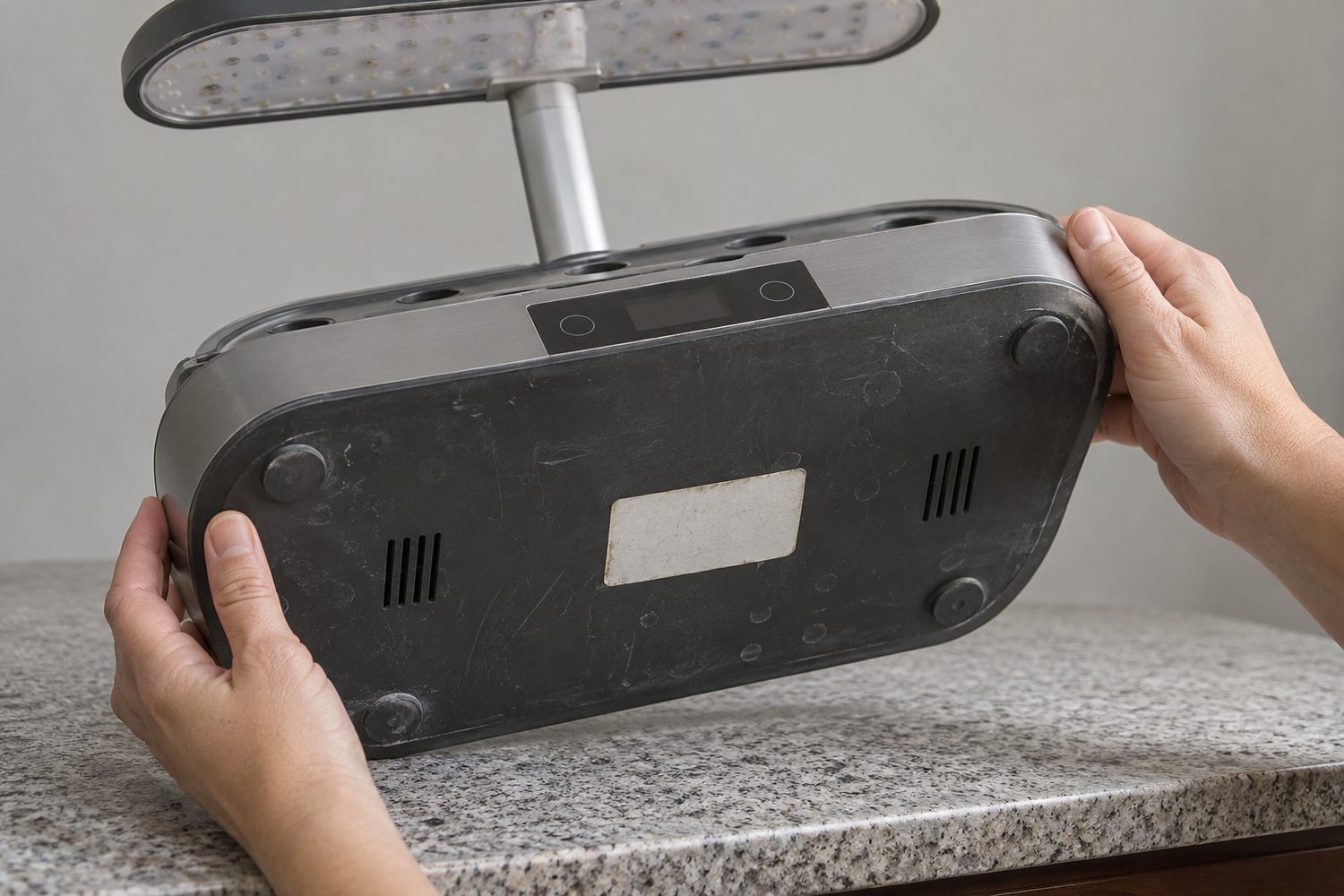
If your AeroGarden came secondhand or as a gift with no paper manual, start by flipping it over. The label on the base, under the water bowl, gives the model and serial number. Match that model to the right manual on the official AeroGarden Product Manuals page, because light hours and controls differ between Sprout, Harvest, Bounty and Farm.
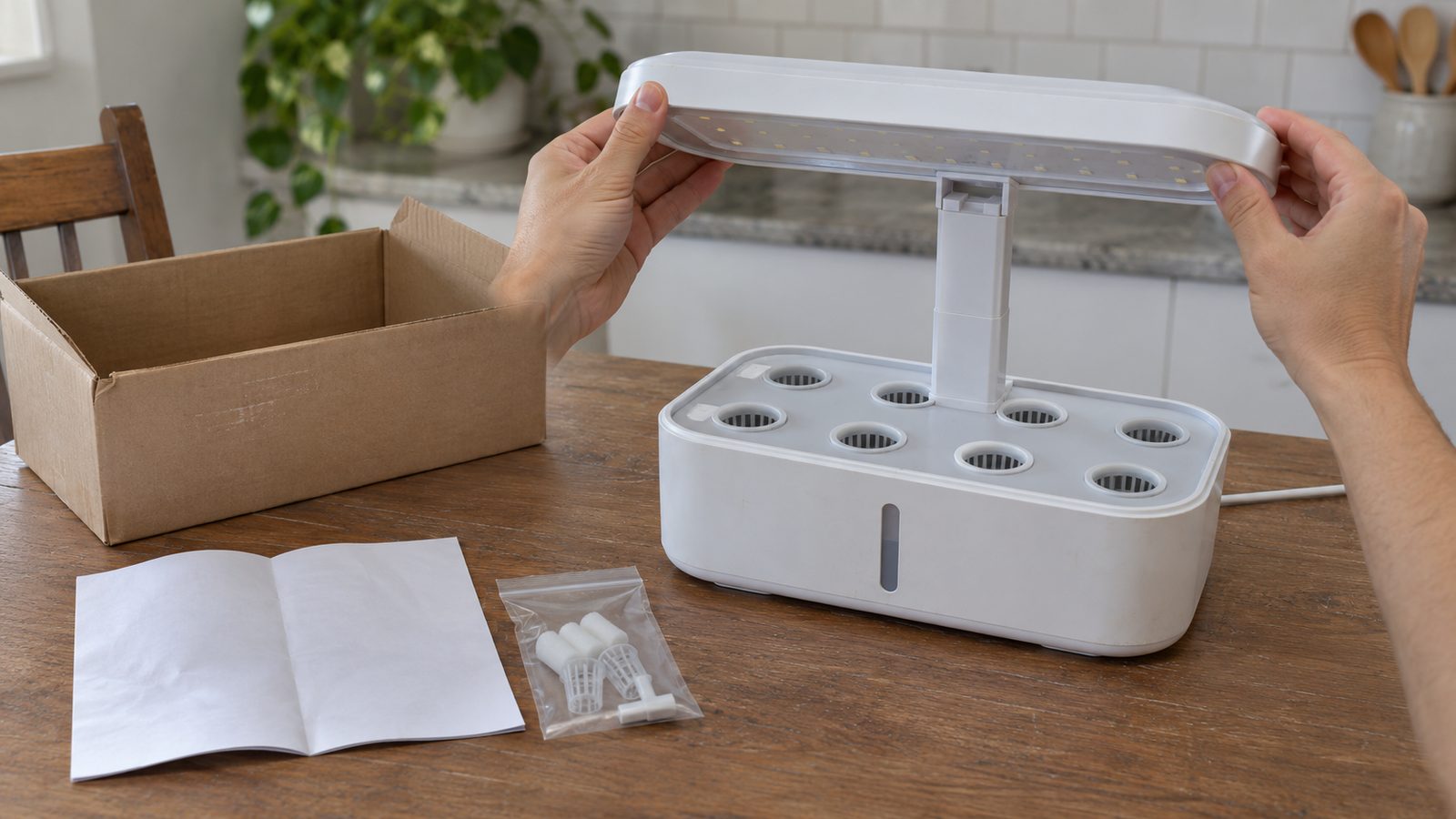
The basic order is similar for Harvest and Bounty. Assemble the light, fill the bowl to the Fill To Here line, add liquid plant food, drop in the pods, cover each with a dome, and plug in. What changes is how you set the light timer, so the sections below give the steps and the light schedule by family.
The steps below follow the maker's guides, so treat your model's manual as the final word on any setting.
Find your model and its manual
The manuals page lists guides for each family. Under Sprout you will find the Sprout (2020), Sprout LED and Sprout EU manuals. Harvest has Harvest 2.0 and Lite, Harvest and Harvest XL, Harvest 2018, Harvest Slim, Harvest 360, Harvest Elite, Harvest Touch and Wi-Fi guides, plus older ones. Bounty covers Bounty and Bounty Elite, Classic Bounty, Bounty Wi-Fi, and the 2019 Bounty Basic, Bounty and Bounty Elite. Farm lists the Farm 12, 12XL, 24, 24 Basic, 24Plus and 24XL, along with trellis guides and quick planting guides.
There is also an official Setup Your AeroGarden hub that links separate setup guides for Harvest, Harvest Lite, Bounty, Farm, LED grow lights and Sprout. If you are still working out which family you own, what an AeroGarden is lays out the lineup, and whether AeroGarden is still in business explains where the company stands if you are wondering about support for an older unit.
Setting up a Harvest 2.0
These steps follow the official Harvest 2.0 setup guide.
- Assemble the light post and attach the LED light hood.
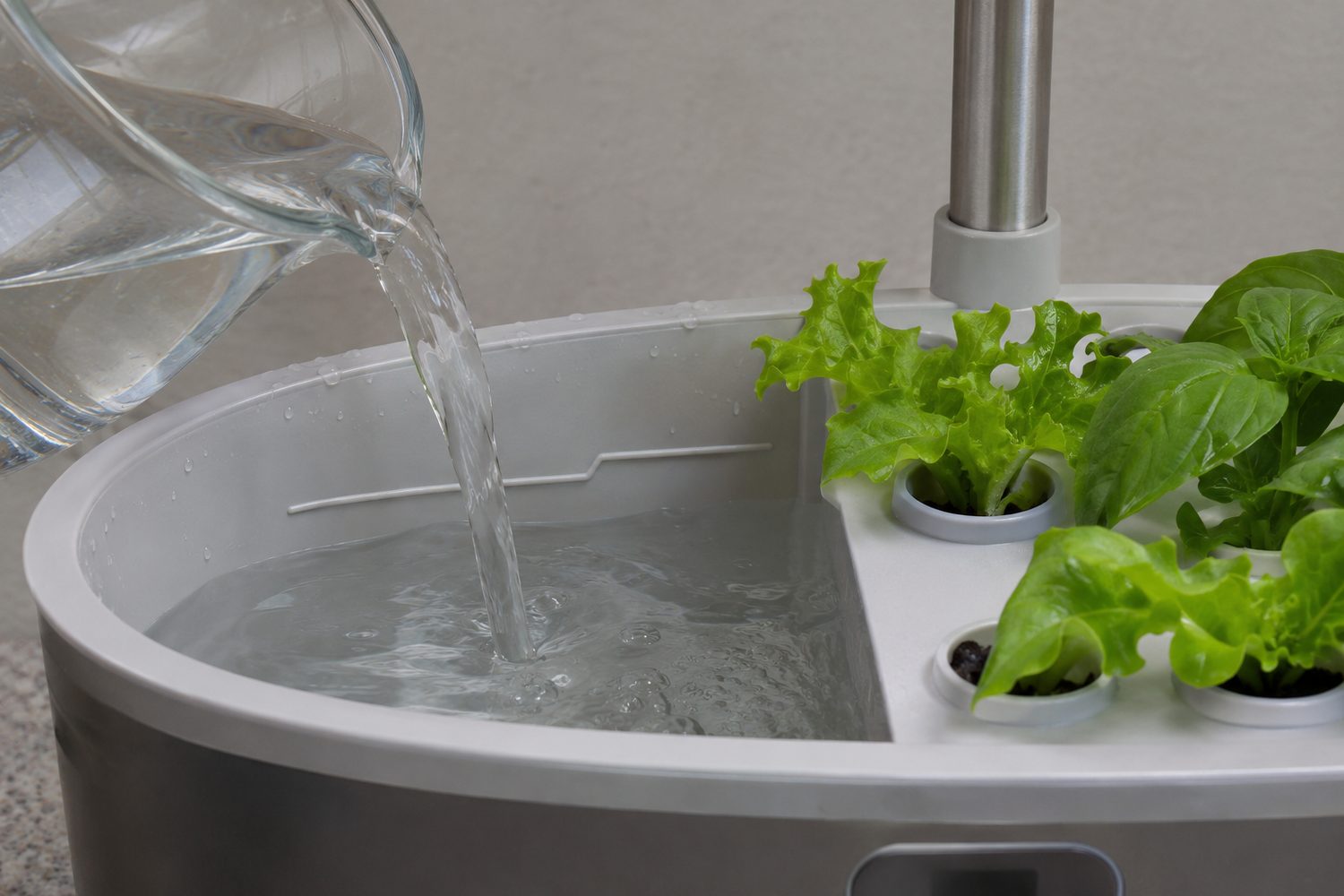
- Fill the water bowl to the Fill To Here line.
- Add AeroGarden liquid plant food, following the amount on the nutrient bottle.
- Put the seed pods into the grow deck, and put plant spacers in any open holes.
- Leave the labels on the pods.
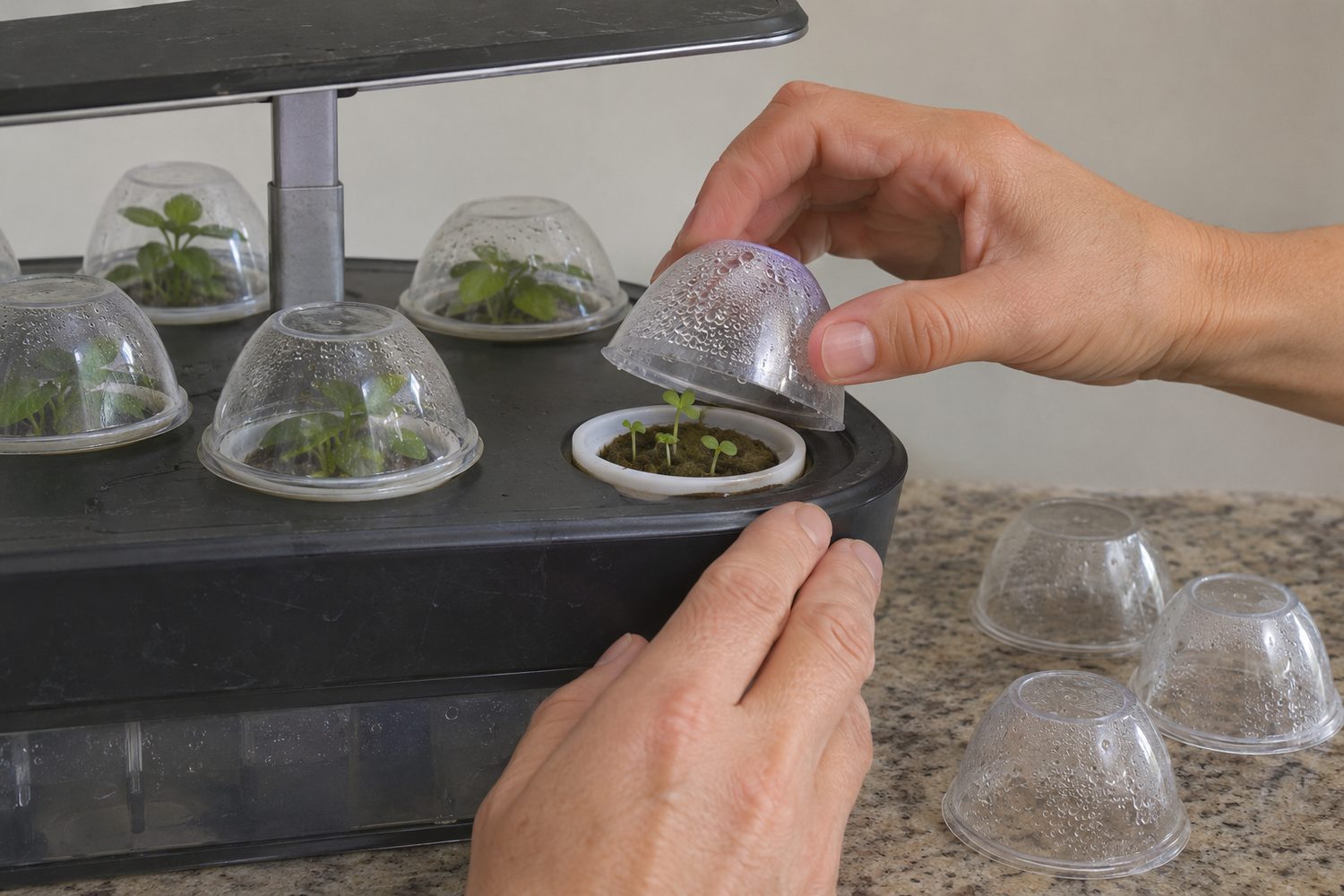
- Place one grow dome over each pod.
- Plug the garden in. The light comes on, and that moment sets the daily light-on time.
- If you want a different start time, hold the Light On/Off button for about five seconds, until the plant-food alert blinks once.
The pump runs while the light is on and stops when it goes off. After that, keep the water topped up near the line and add food when the alert asks for it.
Setting up a Bounty
Bounty digital models add a touchscreen; the Bounty Basic uses Menu and arrow buttons. The official Bounty setup guide walks through the build, and for the physical assembly of the light post and hood, follow the picture steps in the Bounty manual for your exact model.
- Assemble the light post and hood.
- Plug the pump and power cord into the base.
- Fill the bowl to the Fill To Here indicator.
- Add liquid plant food, following the bottle.
- Insert the pods, with plant spacers in unused holes, labels left on.
- Set a dome over each pod.
- Use the touchscreen's Quick Plant function and follow the prompts. It may ask you to set the clock, plant type and light-on time.
Plant height decides placement in a Bounty. Put taller plants toward the back and shorter ones toward the front. The Bounty's product page lists nine pods and a maximum grow height of 24 inches, as read on November 13, 2026. For a closer look at the model itself, see our AeroGarden Bounty review, and for the bigger Farm, the AeroGarden Farm review.
How many hours of light, by family
The defaults differ by family. Use the table as a starting point, then confirm against the manual for your exact model.
Hover or tap a row to highlight it.
| Family | Default or setting | How to change the start time |
|---|---|---|
| Sprout | 16 hours a day, per the Sprout guide | Unplug the cord and plug it back in at the time you want the light to come on |
| Harvest 2.0 | On for 15 hours, then off automatically | Hold Light On/Off about five seconds until the plant-food alert blinks once |
| Harvest, Harvest Slim, Harvest 360 | 15 hours after a reset | Hold the white sun button five seconds; the lights flash once |
| Bounty | Set by plant type: flowers 15.5, vegetables 16, salads 16.5, herbs 17 hours | Touchscreen; Bounty Basic uses the Menu and arrow buttons |
| Farm | Varies by model and plant setting | Touchscreen, the app, or your exact manual |
A few details sit behind the table. On a Sprout LED, the official FAQ says a one-second touch on the light button turns the light on or off, three seconds resets the nutrient timer, five seconds resets the light-on time, and ten seconds does a full reset. Harvest Elite digital models work differently: press the leaf button twice, use the arrows, and pick Set Light On. Older Harvest manuals show a wider 16 to 18 hour range depending on model and plant choice, which is another reason to find the right manual.
The Bounty can also run in a 24-hour mode for some non-flowering plants during the first month, according to its manual. Farm owners should use the touchscreen or app, or open the manual for their Farm 12, 12XL, 24 or 24XL, since those controls are not identical.
Water and plant food
Fill the bowl to the Fill To Here line and never above it. The Harvest 2.0 guide says to keep the garden topped off, and an AeroGarden manual says the Add Water alert comes on once the water has dropped more than halfway below the fill line, so check before then. Municipal tap water works for most gardens. Distilled or reverse-osmosis water may help if your water is especially hard, and the older manuals discourage softened water because of its sodium.
Liquid plant food goes in when you first plant, in the amount printed on the bottle, and again at each 14-day alert. The manual says: "Do not overfeed! More isn't better." If you need a bottle, see AeroGarden's Liquid Plant Food. After adding food on a Harvest, tap the leaf button to reset the nutrient timer.
One Sprout detail is worth knowing. According to the official FAQ, it shuts off its pump and light when the bowl is empty, and the light should return once you add water and the pump senses it.
First-week mistakes owners describe
These are owner reports from Reddit and Best Buy, not measurements. The maker's instruction sits beside each.
Hover or tap a row to highlight it.
| What owners describe | What the maker says |
|---|---|
| Filling above the line, or being unsure where the line is | Fill only to the marked line and keep the bowl near it |
| Leaving domes on after sprouts appear; one owner returned to a moldy basil sprout after about a week | Remove each dome when sprouts nearly touch it |
| Light too high (leggy plants) or too close (a wilted plant within about an hour) | Raise the light as plants grow; the right distance depends on your model and plant, so check your manual |
| Adding extra plant food, such as two capfuls | Add the bottle amount at planting and every 14 days |
Take the dome one first, since it is easy to forget. The domes cover the pods while they sprout, but once leaves nearly touch the plastic, lift it off. AeroGarden says the domes can be reused or recycled afterward, and they do not need to cover plant spacers.
On the light, one owner's tall, thin plants on day 13 were put down to a light set too high, and replies advised lowering it. Check your manual for the height that suits your model.
Thinning tomatoes and peppers
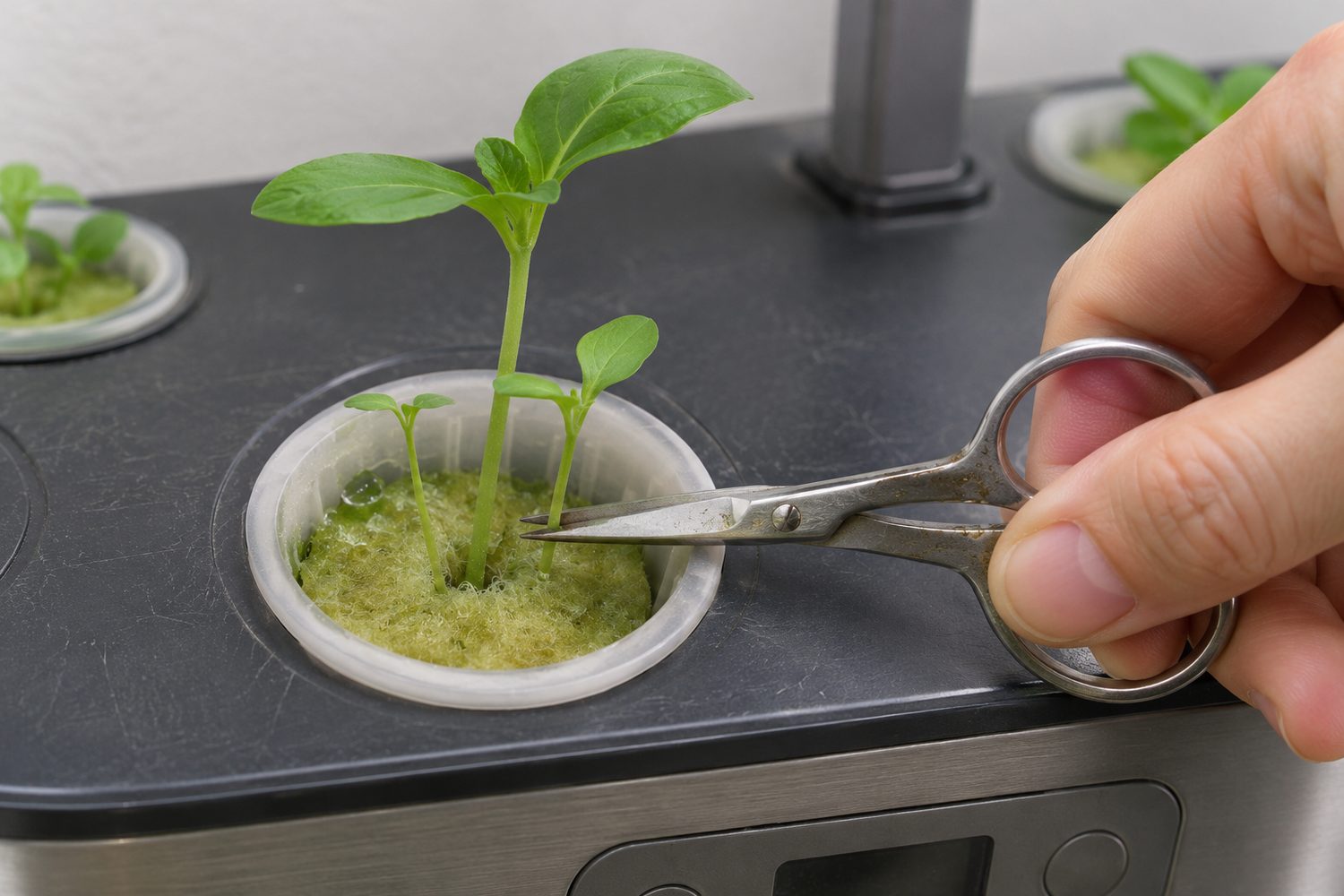
Salad and herb pods can carry more than one seedling. Tomatoes and peppers do best with one plant per pod. Wait until the seedlings are about 2 inches tall, then snip the smaller ones and leave the healthiest. AeroGarden's FAQ also suggests no more than three pods in a tall Bounty or Farm when you grow large plants, with spacers over the remaining holes.
If you want to plant something other than the pods that came in the box, see using your own seeds in an AeroGarden, and for greens by the tray, growing microgreens in an AeroGarden.
The app, and older models
The AeroGarden app supports Bounty models from 2019 onward, Bounty Basic, Bounty Elite, Farm 12, Farm 12XL, Farm 24 Basic, Farm 24Plus and Farm 24XL, and the official app page says you can set a customized light schedule from it. To pair, put the garden on 2.4 GHz Wi-Fi, open the app, choose your model, follow the prompts, allow camera access, and scan the code on the garden's screen.
Classic Harvest, Bounty and Farm models may not work with the new app. They stay usable without it, using their own controls and the manual for that model.
Frequently asked questions
How do I find my AeroGarden's model number? Look at the label on the base, underneath the water bowl. It shows the model and serial number. Match it to the list on the official manuals page.
What if I put in too much water? The Fill To Here line is the maximum. One owner who overfilled asked whether it was harmful, and one reply warned that plants can flood if water reaches the deck. Keep the level at the line from the start, and check your model's manual if you are unsure where it sits.
Do I need the app to use my garden? No. Harvest and Sprout use built-in buttons, and classic Bounty and Farm models stay usable without the app. Newer Bounty and Farm models can use it for schedules.
What does a bottle of plant food cost? That depends on the seller and changes often, so check the current price at the time you buy. Our AeroGarden cost guide covers pricing by model, and AeroGarden versus LetPot is worth a look if you are comparing gardens.
Keep the manual with the garden
Find the model number on the base, open the matching manual from the official manuals page, and save a copy or print it. Keep it with the garden so the next person who gets it has what you did not.
Seed pod: a pre-seeded growing plug placed in a grow basket. Grow dome: a clear cover placed over a seed pod while it sprouts. Plant spacer: an insert that closes an unused hole in the grow deck. Fill To Here line: the marked maximum water level in the bowl. Light-on time: the time each day the grow light starts its cycle. Quick Plant: the Bounty and Farm touchscreen function that starts a new garden and guides setup.
Sources
Prices, stock and specifications are as the linked pages showed them on 2026-11-13.
- AeroGarden Product Manuals page
- Setup Your AeroGarden hub
- Harvest 2.0 setup guide
- Bounty setup guide
- official app page
- AeroGarden FAQs
- AeroGarden Bounty product page
- AeroGarden Sprout guide
- AeroGarden Bounty manual
- AeroGarden manual (fill line, pruning, nutrients)
- AeroGarden Grow Anything instructions
- Reddit, New to AeroGarden, failed first try
- Best Buy, Farm 12XL customer reviews
- Best Buy, Harvest customer reviews
Keep reading
The journal
What Is an AeroGarden? Models, Pods, and Prices
What is an AeroGarden and what does it actually grow? See how the countertop hydroponic garden works, current models and prices, and who owns it today.
Read What Is an AeroGarden? Models, Pods, and PricesThe journal
AeroGarden Bounty Review: Basic, Bounty and Elite Specs
This AeroGarden Bounty review compares the Basic, Bounty and Elite by watts, features, price, stock, running cost estimates, and warranty terms.
Read AeroGarden Bounty Review: Basic, Bounty and Elite SpecsThe journal
AeroGarden Farm Review: Specs, Price and What It Grows
This AeroGarden Farm review breaks down the Plus and Basic models, last known list prices, running costs, warranty terms, and owner-reported problems.
Read AeroGarden Farm Review: Specs, Price and What It GrowsThe journal
AeroGarden Harvest Models Compared: Lite, Standard and Elite
Compare the AeroGarden Harvest models side by side: pod count, grow height, light, finish, vacation mode and price, from standard Harvest to Harvest Elite.
Read AeroGarden Harvest Models Compared: Lite, Standard and Elite