Timers for Microgreens: The Same $8 Timer Pays Back in Two Months or Four Years
Cal HewittPublished Checked
- equipment
- lighting
- electricity
- buying
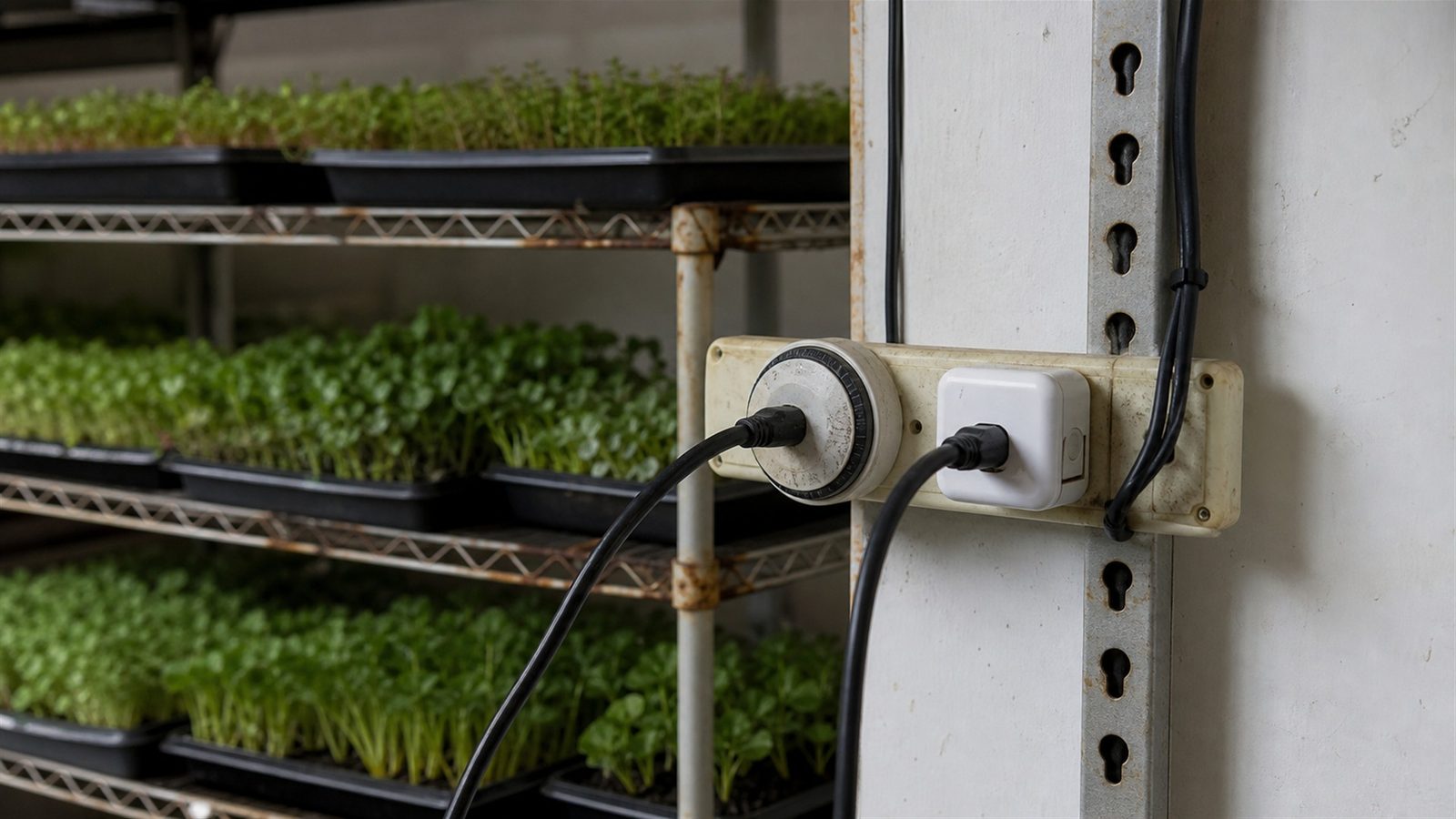
What a timer saves depends entirely on the wattage of the thing it switches, and the spread is 25-fold. On a 100 watt light an $8.00 timer pays for itself in under two months. On a 4 watt clip fan it takes nearly four years, which is longer than the timer is likely to last.
What to actually do
- Put the timer on the light before anything else. It is the highest-wattage device on the shelf, it is the one that genuinely needs a schedule, and the payback is under two months on a 100 watt fixture.
- Do not buy a timer for a 4 watt fan on cost grounds. It takes nearly four years to repay $8.00, which is longer than the timer's likely life. Buy it for consistency if you want it, but not for the electricity.
- Read the load rating against the actual appliance, and use the inductive or motor figure for anything with a motor rather than the headline watts.
- Never plug a power strip into a timer or smart plug. One maker prohibits it outright, and a timer adds no circuit capacity.
- Run the power-cut test before the timer runs anything you care about. Five minutes and twenty four hours, on a lamp. No listing gives the answer, and the test takes an evening.
- If you buy smart, run the router-off test too, and understand that a cloud schedule is a dependency with an expiry date.
- Compare per outlet, not per box. A four-pack of smart plugs undercut both digital timers here.
- Use a thermostat for the heat mat and a clock for the light. They are different instruments answering different questions.
What a timer actually saves
Start from a 16 hour day. The lighting page works out that 16 hours is the well-supported default. Sixteen hours a day is 5,840 of the year's 8,760 hours, so a timer running equipment on that schedule instead of continuously cuts its electricity by 33.3%.
Priced at the EIA average of 18.31 cents per kilowatt-hour, against the cheapest daily-capable timer observed, a mechanical two-pack at $8.00 a timer:
Hover or tap a row to highlight it.
| What it switches | Watts | A year, continuous | A year at 16 hours | Saved a year | Pays for itself in |
|---|---|---|---|---|---|
| Vivosun D4 clip fan | 4 W | $6.42 | $4.28 | $2.14 | 3.7 years |
| Vivosun E9 clip fan | 18 W | $28.87 | $19.25 | $9.62 | 10.0 months |
| Dreo 554S tower fan | 35 W | $56.14 | $37.43 | $18.71 | 5.1 months |
| Vivosun A6 clip fan | 38 W | $60.95 | $40.63 | $20.32 | 4.7 months |
| Barrina T5 light | 80 W | $128.32 | $85.54 | $42.77 | 2.2 months |
| Vivosun AeroLight A100 | 100 W | $160.40 | $106.93 | $53.47 | 1.8 months |
On a 100 watt light the timer pays for itself in under two months. On a 4 watt fan it takes nearly four years, by which time the timer may well have failed, and nothing on any listing tells you which situation you are in.
This is arithmetic on published watt figures and a published rate, not a measurement. Your own tariff moves every number in the same direction.
The practical rule falls straight out of it: put the timer on the light first. Lights are the highest-wattage thing on a microgreen shelf and they are also the device that genuinely needs a clock.
Load decides two different things: whether to buy, and whether it is safe
Of three current pages that recommend a timer for this crop, none mentions the timer's amperage or wattage rating. Two are extension sources and one is a large grower guide. All three are right that a timer automates an outlet. All three stop there.
That same missing number decides whether the purchase is worth making, as the table above shows, and whether it is safe.
The safety side is not hypothetical. Published load commitments differ sharply between products that look identical on a shelf:
- A common mechanical dial timer publishes 15 A at 125 V for resistive and inductive loads, and a separate 1,875 W tungsten figure.
- Two popular smart plugs publish 15 A and about 1,800 W, but limit motors to 1/6 horsepower.
- A thermostat controller publishes 10 A and 1,200 W total across both its outlets, which is a much smaller budget than any of the above.
A motor or a lamp driver is not a resistive load. It draws a brief startup surge, and that inrush can stress switch contacts even when the running wattage looks small. One manufacturer says so directly, warning that "erratic currents" can damage the plug and the area around it even below its stated maximum. Check the startup current on the label of your own lights and fans, and leave headroom rather than buying to the limit.
And a timer does not add circuit capacity. University safety guidance is that a single device should plug directly into a permanent outlet, and one smart-plug maker explicitly says not to plug a power strip or extension cord into its product, because it can be overloaded without you noticing. A shelf full of trays tends to grow more cords over time, which is exactly how that happens.
The recall record shows the failure is real rather than theoretical. The Consumer Product Safety Commission recalled one manufacturer's heavy-duty digital timers for a shock hazard in 2009, and an earlier recall covered 16,700 outdoor timers with reversed polarity that could leave current flowing when the timer was switched off. Neither says anything about the products on sale today. Both say why the listing mark, the model number and unplugging before you handle it are not fussiness.
The specification that matters most: what happens after a power cut
Ask the one question an unattended shelf depends on: what does this device do after the power comes back?
Across nine named products checked, from mechanical dials through digital plugs to smart plugs, a controller and a thermostat, not one listing publishes a complete answer. The closest any of them comes is one smart plug stating that settings are stored automatically when it loses power or its connection. That is a claim about the settings surviving, not about the schedule resuming or the outlet's state on restart.
The related gaps are just as blank. For the digital units checked, no page publishes the backup battery chemistry, its life, or whether the clock must be reset after an outage of a given length. A program count is not a backup specification.
So, test it yourself before it runs anything that matters. Plug a lamp into the programmed timer, photograph the program next to a clock, then cut mains power for five minutes and separately for twenty four hours. Restore, and record three things: the output state, the displayed time, and whether the next scheduled on and off actually happen. Do not make a heat mat, an unattended fan or a production light the first thing you test this on.
Cloud, local, and the risk that outlives the hardware
For the three smart plugs checked, none states whether a schedule executes on the device or on the vendor's server. That distinction is invisible until the internet drops, and then it is the whole story.
Test it the same way: leave the plug powered, remove the router, and see whether the next scheduled event fires.
The category risk is documented rather than speculative. One retailer discontinued its connected-product line and stripped the smart functionality in 2019, and in 2026 a well-known smart-home brand shut down its cloud service, ending older features while sparing certain locally-controlled products. Neither case predicts anything about the plugs on sale now. Both establish that a schedule living on somebody else's server is a dependency with an expiry date you do not control.
Control the right variable
Five different things are sold as "a timer" and they do not substitute for each other.
- A mechanical dial or digital plug timer switches mains power on and off. Nothing else. Fifteen minutes is the smallest interval published for the mechanical units checked.
- A smart plug is the same on and off, plus an app and a schedule.
- A controller sold with a fan or light changes that appliance's speed or brightness, which a plug timer cannot do at all.
- A timer built into the appliance runs only that appliance, and often only on fixed cycles: 3, 6 or 12 hours on a light panel, 4, 8 or 12 on a bulb. Those are not arbitrary schedules, and a fixed cycle cannot give you 16 hours.
- A thermostat controller is not a clock. It switches on a measured temperature.
That last distinction is the one that bites. A heat mat does not want a photoperiod, it wants a temperature held, so it wants a thermostat with a probe rather than a timer on a schedule. Putting a heat mat on a clock controls the wrong variable entirely: it will run the mat for a set number of hours regardless of how warm the medium already is.
Prices, compared per outlet
"Smart costs much more" is not what the observed prices say.
Hover or tap a row to highlight it.
| Route | Product and seller | Price observed | Per outlet |
|---|---|---|---|
| Mechanical | BN-LINK mini, two-pack, direct | $15.99 | $8.00 |
| Smart | Meross MSS110HK, four-pack, direct | $34.99 | $8.75 |
| Digital | Woods 50015WD, Home Depot | $13.32 | $13.32 |
| Digital | Woods 50009WD, Home Depot | $19.99 | $19.99 |
| Appliance built-in | Barrina OG11A bulb, direct | $11.99 | timer included in the bulb |
| Fan with controller | Mars Hydro iFresh 6 inch, direct | $92.99 | app control needs the Pro version |
The cheapest smart outlet here undercuts both digital timers, at $8.75 against $13.32 and $19.99, because it is sold in a four-pack. Pack size moves the per-outlet price more than the technology label does, so compare per outlet or the comparison is meaningless. A one-pack against a four-pack is not like for like, and two manufacturers did not display a retail price on the pages opened at all.
And the grow label carries a markup. Checked across the mechanical timer category on 2026-10-20, a hydroponics-branded single-outlet mechanical timer was $22.00 against $8.99 for a functionally identical unbranded one with the same 15 minute intervals. About 2.4 times the price for the word "grow" on the box, and there is no microgreens-specific timer to buy anyway.
Standby draw is unpublished for every product checked, so no annual standby cost is asserted here. For scale, at the same electricity rate a device drawing a constant 1 watt costs $1.60 a year, and 2 watts costs $3.21. A plug-in watt meter with no load attached settles it for your unit.
Humidity, which is where control gear should not be
The indoor products checked are rated non-condensing, 5 to 90% and 10 to 90% relative humidity for the two smart plugs, and one mechanical timer is labeled indoor. None of the indoor units publishes an ingress-protection code, and one outdoor mechanical timer relies on covers without publishing an IP rating either.
A covered tray and a wet rack routinely produce condensing conditions. So keep the switching hardware off the wet shelf, out of splash range, and use a product in the environment its maker actually rated it for.
Who should skip this entirely
Anyone growing on a windowsill. Extension guidance explicitly permits a bright east, west or south window as an alternative to artificial light, and a timer for a light you do not own is nothing.
Anyone whose appliance already has the schedule it needs, and anyone reliably present to switch things by hand. Skipping a timer does not waive the load and moisture rules, which apply to the appliance whether or not something is switching it.
And a heat mat owner should skip a timer specifically, because the right instrument there is a thermostat.
What to test on your own timer
- Run a power-cut test. Cut power for five minutes and for twenty-four hours, and watch whether the schedule resumes. This is the specification that matters most for unattended use.
- Run a router-off test on a smart plug. See whether its schedule runs locally or on a server.
- Note relay and contact life. At one on and one off a day that is 730 operations a year, and 1,460 if you run two periods, so write down the date you install a timer and when it fails.
- Look up startup current for your lights and fans. It is the number that decides whether a timer's contacts are being stressed.
- Check standby draw. Note what your controller uses while switched on but powering nothing.
- Compare manual against timed. Track missed photoperiods with manual operation against a timer on your own shelf, to see whether a timer improves outcomes or only convenience.
- Keep your own failure record. Review counts are not failure rates, so note when your own timer fails.
Terms on this page
Tap a term to see what it means.
Load rating. The maximum electrical load a switch is specified to carry, usually in amps and watts. Often published separately for resistive and inductive loads.
Sources
Opened 2026-08-12, with prices rechecked 2026-10-20. Prices are snapshots on those dates, not price promises, and this page is rechecked at least every two months. The savings and payback table is arithmetic on published wattages, the electricity rate below, and a 16 hour photoperiod.
- Intermatic TN111K - the mechanical 24 hour dial, its 15 minute increment, the two on and two off trippers shipped, the indoor labeling, and the separately published resistive, inductive and tungsten ratings.
- BN-LINK 24 hour mini mechanical timer, two-pack - $15.99 for two, so $8.00 a timer, with 96 daily settings at 15 minute pins. This is the timer price used throughout the payback table. Also the outdoor mechanical version for its load ratings and covers without a published IP code, and a retailer listing marketing a general-purpose mechanical timer for grow lights and hydroponics, which is what a "microgreens timer" actually is.
- Woods 50015WD at $13.32 and Woods 50009WD at $19.99 (currently out of stock online) - the seven day digital route, up to 20 on and off settings a day with weekly repeat, and no published smallest increment.
- Kasa EP25 and Tapo P125 - 15 A and about 1,800 W with a 1/6 horsepower motor limit, the 5 to 90% and 10 to 90% non-condensing humidity ratings, the erratic-currents warning, and the one explicit retained-settings claim in the set. Plus the manufacturer FAQ prohibiting a power strip or extension cord on a smart plug.
- Meross MSS110HK - $34.99 for four, so $8.75 an outlet, the cheapest per-outlet price in the check and the figure that overturns the assumption that smart costs more.
- Inkbird ITC-308 - a thermostat controller rated 10 A and 1,200 W total across both outlets, included here to make the point that it answers temperature rather than time.
- Mars Hydro iFresh 6 inch inline fan at $92.99 - the fan-with-controller route, where app control requires the Pro version whose price the opened page did not display.
- Barrina OG11A bulb at $11.99 with a built-in dimmer and timer, and the DC10 panels with fixed 3, 6 and 12 hour cycles - the appliance-integrated route and why a fixed cycle cannot produce a 16 hour day.
- University of Nebraska environmental health and safety guidance - that a single device should plug directly into a permanent outlet and that chaining strips and extensions can overload the wiring.
- CPSC recall of digital timers for shock hazard, 2009 and the CPSC outdoor appliance timer recall covering 16,700 units whose reversed polarity could leave current flowing when switched off. Neither describes a current product.
- UC Agriculture and Natural Resources on growing microgreens and the Utah State University Extension guide (PDF) - the two extension sources recommending a timer on bulbs and permitting a bright window instead, and two of the three pages audited for whether timer advice mentions load or power-cut behavior. The third is On The Grow's lighting guide, which describes a 17 hours on and 7 off routine run from a programmable timer.
- Cloud-service shutdown precedent, reporting rather than product testing: a retailer discontinuing its connected-product line in 2019 and a smart-home brand ending its cloud service in 2026.
Keep reading
The test bench
Microgreens Shelving and Racks: Tiers Are Not Growing Levels
A 48 by 24 by 72 inch adjustable wire rack from $89.90 is the whole answer for most growers. Adding tiers to the same frame trades away the light distance extension guidance asks for, by the sellers' own clearance numbers.
Read Microgreens Shelving and Racks: Tiers Are Not Growing LevelsThe test bench
The Best LED Grow Lights for Microgreens: What to Buy, and the Order to Buy It In
Buy an ordinary white LED strip sized to your shelf, put it on a timer, and spend the difference on seed. Then measure your own tray, because no fixture sold for microgreens publishes a reading across one.
Read The Best LED Grow Lights for Microgreens: What to Buy, and the Order to Buy It InSelling guides
Electricity and Water: The Lights Were 3 Percent of the Bill
In the one published microgreen room with a metered breakdown, air conditioning took 150 kWh of 188.4 and two LED lamps took 5.4. And US rates run 12.35 to 52.00 cents, so a national average is nearly useless.
Read Electricity and Water: The Lights Were 3 Percent of the BillGrowing guides
Why do my microgreens taste bitter? Usually because that crop is supposed to
Roughly three quarters of microgreen crops are described as sharp, peppery or bitter in their own tasting notes, so check the crop before you look for a fault. Plus why turning the lights down is a guess.
Read Why do my microgreens taste bitter? Usually because that crop is supposed to